
The quest for maximum Frames Per Second (FPS) is the lifeblood of PC gaming. Whether you’re a competitive esports player who needs every millisecond of advantage or a visual enthusiast chasing the smoothest, most immersive 4K experience, your PC build is the foundation of your digital world. In this comprehensive guide, we’ll dive deep into the world of high-performance gaming PCs, breaking down the key components, the latest hardware trends, and the essential steps to assemble a rig that delivers blistering speed and long-term value. We’ll be focusing on the parts and principles that ensure you not only hit high FPS now but are also prepared for the technological advancements of 2024 and 2025.
The Foundation of High FPS: Key Components Explained
Achieving peak gaming performance isn’t about simply buying the most expensive component; it’s about creating a harmonious system where every part complements the others. For maximum FPS, two components dominate the conversation: the Graphics Processing Unit (GPU) and the Central Processing Unit (CPU).
The Graphics Card: The Engine of Framerates
The GPU is the single most critical component for maximizing your framerates. It handles the heavy lifting of rendering graphics, textures, and effects. The current landscape is dominated by the latest generations from NVIDIA (GeForce RTX 40 and 50 Series) and AMD (Radeon RX 7000 and the upcoming 9000 Series).
Next-Generation GPU Considerations:
- VRAM Capacity: For high-resolution (1440p and 4K) gaming, having sufficient Video RAM (VRAM) is non-negotiable. 16GB is quickly becoming the new standard for high-end builds to handle demanding texture packs and future-proof your system.
- Ray Tracing and Upscaling: Modern GPUs boast specialized cores for Ray Tracing, which delivers incredibly lifelike lighting, shadows, and reflections. However, these effects are computationally expensive. This is where AI-powered upscaling technologies—like NVIDIA’s DLSS (Deep Learning Super Sampling) and AMD’s FSR (FidelityFX Super Resolution), including the speculated DLSS 4—become crucial. These tools render the game at a lower resolution and use AI to upscale the image to your monitor’s native resolution, providing a massive FPS boost with minimal perceived loss in visual quality. An optimal high FPS build must leverage these technologies.
- The Latest Flagships: For the absolute highest FPS possible, current top-tier options include the NVIDIA GeForce RTX 5090 (or similar flagship models) and their direct high-end competitors from AMD. These cards are built for 4K gaming at high refresh rates and even dabble in 8K territory for the most dedicated enthusiasts.
The Processor: Feeding the GPU
While the GPU handles the visual output, the CPU is responsible for game logic, physics, artificial intelligence (AI), and, most importantly, preparing the “draw calls” that instruct the GPU on what to render. A powerful GPU can be severely bottlenecked by a weak CPU, preventing it from reaching its full potential. This is often called a CPU Bottleneck.
Key CPU Selection Factors:
- Core and Thread Count: For gaming, having a high number of cores isn’t as critical as having strong single-core performance. However, modern games and multitasking (streaming, running voice chat) benefit from higher core counts. Processors with 16+ cores are becoming the norm for high-end gaming and productivity rigs.
- The X3D Advantage: AMD’s Ryzen X3D series, featuring their groundbreaking 3D V-Cache technology, offers a huge L3 cache stack that significantly boosts gaming performance, often making them the go-to choice for gaming-focused builds. An upcoming chip like the AMD Ryzen 7 9800X3D or a similar future-gen part is likely the single best choice for maximum raw framerate.
- Platform Longevity: Choosing a modern platform like AMD’s AM5 or the latest Intel LGA sockets ensures you have an upgrade path for years to come without having to replace your motherboard and RAM.
RAM: Speed and Capacity are Key
Random Access Memory (RAM) holds the active data for the games you’re playing. With game worlds becoming larger and more detailed, memory requirements have increased.
- DDR5 is the Standard: DDR5 RAM is now the mainstream choice, offering significantly higher bandwidth and lower latency compared to the older DDR4 standard. For high-end AMD systems, a sweet spot of DDR5-6000 speed is often recommended to maximize the performance of the Ryzen architecture.
- Capacity: While 16GB was the standard for years, 32GB of DDR5 RAM is the recommended baseline for a high FPS, future-proof build. This provides ample overhead for modern AAA titles and background applications. For enthusiasts and content creators, 64GB+ is an option, though the gaming performance gain is often minimal beyond 32GB.
Storage: Eliminating Load Times
In a high FPS build, the storage component might not directly impact your framerate during gameplay, but it drastically affects your overall gaming experience by eliminating long load times.
- The PCIe 5.0 Revolution: NVMe SSDs using the PCIe 5.0 standard are set to become the new benchmark, offering read and write speeds that are exponentially faster than previous generations. This translates to near-instantaneous boot-ups and game loading.
- Capacity: A minimum of a 2TB NVMe SSD is recommended for the operating system, applications, and a healthy library of modern games. For the largest libraries, a 4TB or larger drive is a wise investment.
Power and Cooling: The Unsung Heroes
A high-performance system generates significant heat and requires stable, clean power. Skimping on the Power Supply Unit (PSU) and cooling solution is a common mistake that can lead to thermal throttling, instability, and even component failure.
Cooling Solutions: Keeping Your Cool Under Pressure
Both modern CPUs and GPUs can consume a lot of power, which generates a tremendous amount of heat. Keeping temperatures low is essential to prevent thermal throttling, a mechanism where the component automatically slows itself down to avoid damage, directly hurting your FPS.
Cooling Trends:
- All-in-One (AIO) Liquid Coolers: High-end CPUs are best cooled with 360mm or 420mm AIO Liquid Coolers. These closed-loop systems offer superior thermal performance and can maintain lower CPU temperatures under heavy load. The sheer size of today’s flagship CPUs often necessitates these larger radiator sizes.
- Advanced Air Cooling: For those who prefer a reliable air solution, high-performance dual-tower air coolers are still highly effective, especially with advances in heat pipe and fan design.
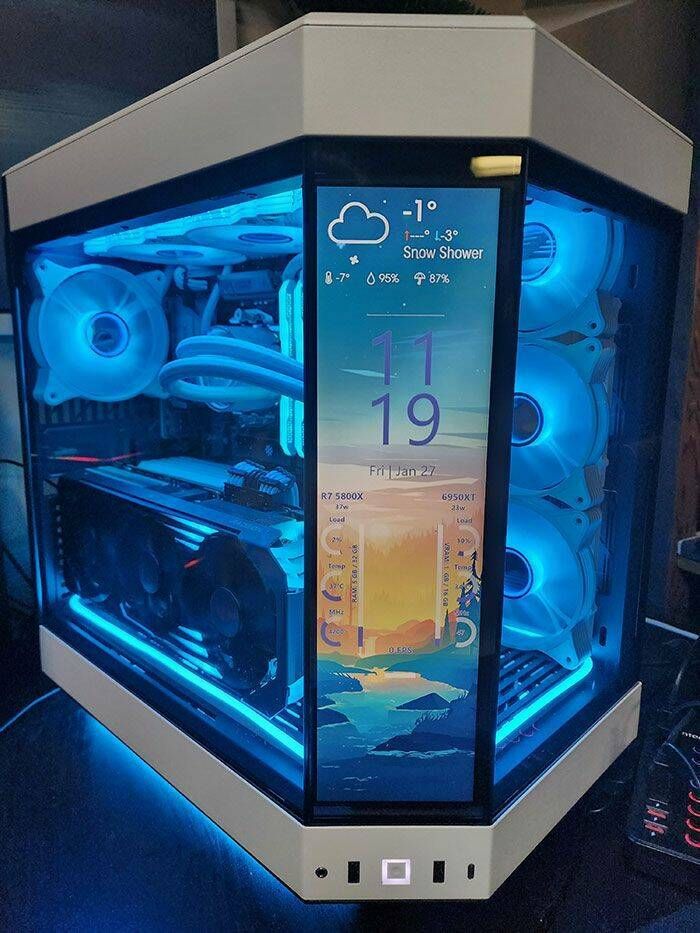
- Case Airflow: The best cooler in the world is useless in a bad case. Choose a high-airflow case with mesh panels and plenty of fan mounting options. Trends show larger cases like mid-towers and full-towers with improved internal layouts are necessary to house the massive size of modern GPUs and large AIO radiators.
Power Supply Unit (PSU): Clean Power is Performance
A powerful, efficient, and reliable PSU is non-negotiable. It protects your expensive components and ensures stable power delivery, especially during peak load moments like intense gaming sessions.
- Wattage: A high-end build featuring a top-tier GPU (like an RTX 5090) and a high-end CPU should aim for a 1000W to 1300W PSU. Always give yourself at least a 20-30% power overhead.
- Efficiency Rating: Look for a PSU with an 80 PLUS Gold or Platinum efficiency rating. Higher efficiency means less wasted heat and lower electricity costs over time.
- ATX 3.1 Standard: Ensure your PSU is compliant with the latest ATX 3.1 standard, which is essential for safely and reliably delivering power to the newest, most power-hungry GPUs via the specialized 12VHPWR connector (or its latest iteration).
The Ultimate High-End Build Guide (2025 Focus)
To illustrate the principles of maximum FPS, here is a breakdown of a hypothetical, high-end, no-compromise PC build designed for 4K/high refresh rate gaming in 2025.
The Art of Optimization: Beyond the Hardware
Having the best hardware is only half the battle. To truly unlock maximum FPS, you must correctly configure and optimize both your hardware and software.
A. BIOS/UEFI Tweaks
The system’s firmware, the BIOS (Basic Input/Output System) or UEFI (Unified Extensible Firmware Interface), is where you control fundamental hardware settings that can dramatically affect performance.
- Enable XMP/EXPO: This is the most critical step. RAM defaults to a low base speed. You must enable the Extreme Memory Profile (XMP) for Intel or EXPO (Extended Profiles for Overclocking) for AMD in the BIOS to run your DDR5 memory at its advertised, much faster speed (e.g., 6000MHz).
- Resizable BAR/Smart Access Memory (SAM): Enable Resizable BAR (NVIDIA) or Smart Access Memory (SAM) (AMD). This feature allows the CPU to access the entire GPU memory buffer at once, rather than in small chunks, leading to significant performance gains in many modern titles.
- Fan Curves and Pump Speed: Adjust your fan curves to be more aggressive under load to prioritize performance and temperature control over noise. Maximize your AIO pump speed for continuous coolant flow.
B. Operating System and Driver Setup
A clean, properly configured operating system is vital to a high FPS experience.
- Driver Installation: Install the latest GPU drivers (NVIDIA GeForce Game Ready or AMD Radeon Software) directly from the manufacturer’s website, not through Windows Update. These drivers contain critical optimizations for the newest games.
- Power Plan: In Windows Power Options, ensure you are set to the “High Performance” or “Ultimate Performance” power plan to prevent the CPU and other components from downclocking while gaming.
- Game Mode: Enable Windows Game Mode, which helps optimize system resources by prioritizing the active game.
- Clean Installation: When installing new hardware, especially a GPU, always use a clean driver installation option to avoid conflicts and residual files from older drivers.
C. In-Game Settings and Upscaling
The settings within the game are where you fine-tune your performance.
- Leverage Upscaling: In any game that supports it, enable DLSS (Quality or Balanced mode), FSR, or Intel XeSS. This is the single biggest performance boost you can get in a modern title.
- Monitor Your Bottleneck: Use an overlay (like MSI Afterburner or the software suite that comes with your GPU) to monitor CPU and GPU utilization. If the GPU usage is consistently at 99-100%, you are GPU-bound (optimal for max visual quality). If the CPU usage is 100% and the GPU usage is low, you are CPU-bound, indicating a bottleneck that is limiting your FPS.
- The Tiers of Settings: The settings that have the biggest impact on FPS are usually Shadows, Volumetric Effects, and Ray Tracing. If you need more frames, start by dropping the quality of these settings.
Future-Proofing and Longevity: Building for 2025 and Beyond
The PC hardware market never stops moving. Building with a focus on future-proofing ensures your investment remains competitive for years.
A. The AI Revolution in Gaming
The biggest shift in PC gaming is the integration of Artificial Intelligence (AI) into hardware. Modern GPUs feature dedicated Tensor Cores (NVIDIA) or equivalents that accelerate AI tasks. This is primarily used for upscaling technologies like DLSS, but its application is rapidly expanding:
- AI-Driven Optimization: Future software, like HP’s OMEN AI, will likely use machine learning to automatically tune system settings and overclocking profiles for individual games, providing hands-free performance optimization.
- Smarter Game Worlds: AI is being used to create more realistic physics, smarter Non-Player Characters (NPCs), and dynamic, evolving game worlds, requiring more powerful and multi-core-optimized CPUs.
B. High Refresh Rate Monitor Synergy
A high FPS build is incomplete without a monitor that can display those frames. You need to match your PC’s power to your display technology.
- 1440p (QHD): The Sweet Spot: This resolution offers a fantastic balance of visual fidelity and high refresh rates (165Hz, 240Hz, or higher) that even mid-to-high-end GPUs can drive to high framerates.
- 4K (UHD): The Enthusiast Standard: For the ultimate visual experience, 4K is necessary. However, to maintain a “high FPS” experience (100+ FPS), you absolutely need a flagship GPU like the RTX 5090 and must be prepared to use upscaling aggressively.
- OLED and QD-OLED: These display technologies are becoming more mainstream and offer unparalleled black levels and response times, further enhancing the perception of smooth, high FPS gameplay.
C. The Rise of the Gaming Laptop and Small Form Factor (SFF)
While this article focuses on desktop builds, it’s worth noting that the principles of high FPS are increasingly being applied to smaller form factors.
- Thermal Management in Laptops: Gaming laptops are adopting advanced cooling solutions like the OMEN Tempest Cooling system and AI-powered thermal optimization to manage heat in a confined space, bringing desktop-level performance to a mobile platform.
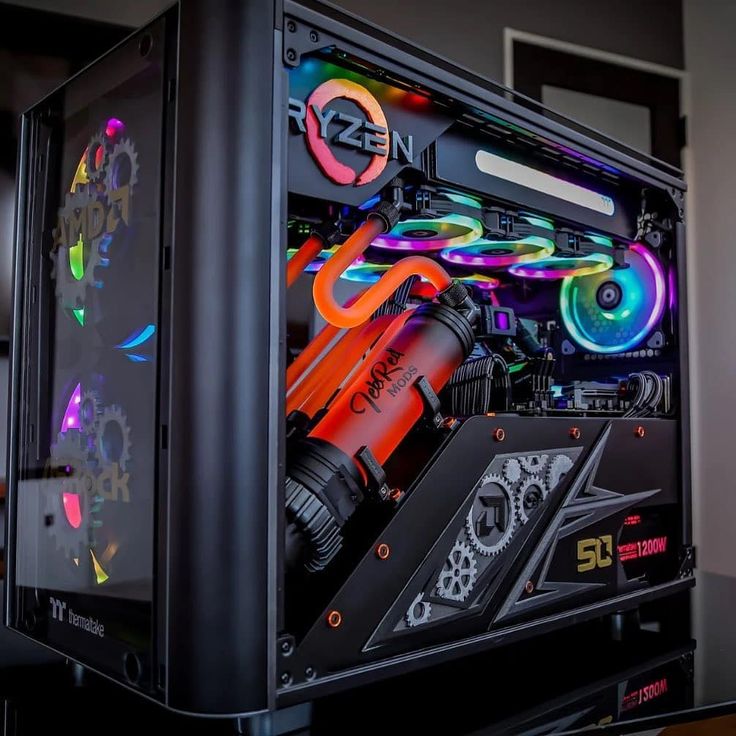
- SFF No Longer Requires a “Tax”: Advancements in component design mean that building a powerful Micro-ATX (mATX) or even a true Small Form Factor PC no longer requires a significant sacrifice in performance or an excessive “SFF tax” on specialized components. This makes smaller, cleaner builds more accessible for gamers who prioritize aesthetics and space.
Detailed Step-by-Step PC Assembly Guide
Building your own high-performance PC is a rewarding experience. While the process is simpler than ever, care and attention to detail are crucial.
Step 1: Preparing the CPU and Motherboard
A. Place the Motherboard on a clean, non-conductive surface, typically its own box.
B. Open the CPU socket retention lever.
C. Carefully remove the CPU from its packaging, holding it by the edges.
D. Align the gold arrow/triangle on the corner of the CPU with the corresponding mark on the socket. Gently place the CPU into the socket; it should drop into place without any force.
E. Close the retention lever to secure the CPU.
F. Install the RAM sticks into the correct slots as indicated in your motherboard manual (usually slots 2 and 4 for a two-stick setup) by pushing down firmly on both ends until the clips snap into place.
G. Install the NVMe SSD into the primary (top) M.2 slot and secure it with a small screw or toolless clip.
H. Prepare the CPU cooler mount. Install the mounting brackets for your AIO or air cooler onto the motherboard.
Step 2: Case Preparation and Motherboard Installation
A. Open your PC Case and install the PSU into its bay (usually at the bottom rear).
B. Install the motherboard standoffs into the case if they are not pre-installed.
C. Gently place the prepared motherboard into the case and secure it with screws.
D. Connect the front panel connectors (power button, USB, audio) from the case to the tiny, labeled pins on the bottom edge of the motherboard. This step requires careful consultation of the motherboard manual.
E. Connect the main 24-pin ATX power cable and the 8-pin (or two 8-pin) CPU power cable from the PSU to the motherboard.
Step 3: Installing the Cooler and GPU
A. Apply a small, pea-sized dot of thermal paste to the center of the CPU (or check if your cooler has pre-applied paste).
B. Install the CPU Cooler. For an AIO, screw the cold plate onto the CPU mount, and install the radiator and fans to their designated spots in the case (typically top or front). For an air cooler, carefully seat the heatsink and screw it down firmly.
C. Locate the primary PCIe x16 slot (the top, longest slot, often reinforced with metal).
D. Open the small retention clip at the end of the slot.
E. Carefully insert the massive GPU, aligning the connector with the slot and pushing down firmly until you hear the clip snap closed.
F. Secure the GPU to the case’s rear with screws.
G. Connect the required PCIe power cables from the PSU to the GPU. For the newest cards, this will be the 12VHPWR connector. Ensure this cable is seated perfectly flat and firmly clipped into the GPU.
Step 4: Final Cable Management and Boot Up
A. Organize all cables in the back compartment of the case to allow for optimal airflow. Good cable management isn’t just for looks; it prevents dust and allows air to flow freely.
B. Close the case.
C. Connect your monitor, keyboard, and mouse.
D. Plug in the power cord and press the power button.
E. Immediately press the designated key (usually DEL, F2, or F12) to enter the BIOS/UEFI. Follow Step 1 in the Optimization section to enable XMP/EXPO and Resizable BAR/SAM.
F. Install your operating system (Windows 11 is recommended for modern gaming).
G. Install all necessary drivers (chipset, LAN, audio, and most importantly, the GPU driver).
Conclusion
By following these guidelines and prioritizing the latest, most powerful CPU and GPU combinations, you can ensure your gaming PC build is not just fast, but a true high-FPS powerhouse that dominates the digital landscape for years to come.