

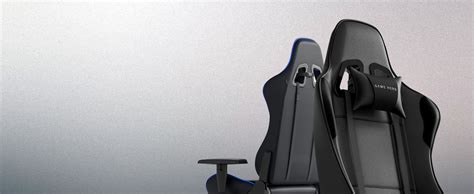
In the high-stakes world of competitive and casual gaming, your gear is an extension of your skill. While powerful graphics cards and ultra-responsive keyboards rightfully capture the spotlight, one essential component is often undervalued until it’s too late: the gaming chair. A high-quality, ergonomically optimized chair is not merely a luxury; it is a critical piece of infrastructure that directly impacts your performance, concentration, and long-term physical health.
This definitive guide will dive deep into every facet of gaming chair comfort, offering comprehensive insights to help you not only select the right throne but also master the art of its adjustment. A truly great gaming experience is built on a foundation of optimal support, and achieving that support is far more complex than simply unboxing a new piece of furniture. We will explore the biomechanics of sitting, the specific features that drive elite comfort, and the strategic positioning required to sustain marathon gaming sessions without fatigue or injury.
The Biomechanics of Extended Sitting: Why a Standard Chair Fails
To fully appreciate the value of a specialized gaming chair, one must first understand the toll that extended sitting takes on the human body. Unlike brief periods of sitting, hours spent in a fixed posture—often one of intense focus—can lead to a cascade of musculoskeletal issues. Standard office or kitchen chairs are fundamentally inadequate for this task.
I. The Core Problems with Standard Seating
Standard chairs typically lack the specialized support required for the prolonged, forward-leaning posture common in gaming. This leads to several predictable problems:
A. Lumbar Lordosis Flattening: The natural, inward curve of your lower back (the lumbar spine) is essential for shock absorption and stability. Without proper lumbar support, this curve flattens, placing immense, uneven pressure on your spinal discs. B. Poor Blood Circulation: Pressure points under the thighs can restrict blood flow to the lower extremities, leading to numbness, tingling, and an increased risk of deep vein thrombosis (DVT) over time. C. Forward Head Posture (FHP): As you lean in to focus on the screen, your head drifts forward. Since the head weighs approximately 10 to 12 pounds, every inch it moves forward can add up to 10 pounds of force on the neck and upper back muscles. This is a primary cause of tension headaches and chronic neck pain. D. Shoulder and Arm Strain: Inadequate armrest positioning forces you to shrug your shoulders or let your arms hang, stressing the trapezius muscles and shoulder joints, leading to repetitive strain injuries like carpal tunnel syndrome.
A gaming chair is engineered to counteract these specific physiological stresses, converting a potential health hazard into an ergonomic foundation for elite play.
Unpacking the Anatomy of Superior Gaming Chair Comfort
A high-quality gaming chair’s comfort is a direct function of its design components. Understanding these features—and how they work in concert—is key to making an informed purchasing decision and optimizing your setup.
II. Key Comfort-Defining Features
The best chairs go far beyond simple padding. They integrate complex mechanical and material science to deliver adaptive, sustained comfort.
A. The Ergonomic Foundation: Support Mechanisms 1. Integrated and Adjustable Lumbar Support: This is arguably the single most important feature. Premium chairs offer internal, mechanism-driven support that can be adjusted vertically (up and down) and horizontally (in and out) to precisely match the unique curvature of your lower spine. This maintains the crucial lumbar lordosis, relieving pressure on the spinal discs. 2. High Backrest with Neck/Head Support: Gaming chairs feature a tall backrest designed to support the entire length of the spine, up to the neck and head. This support must encourage a relaxed posture without forcing the head too far forward. The included or integrated head cushion serves as a gentle reminder to keep the head aligned over the spine, combating FHP. 3. Multi-Tilt and Recline Functionality: The ability to recline up to 135° or even 180° is essential for rest and relaxation between intense matches. The multi-tilt lock mechanism allows you to lock the chair at various angles, promoting dynamic sitting—the practice of changing your posture periodically, which is vital for sustained comfort and blood flow.
B. Seating Comfort: The Material Science 1. Seat Pan Design: An excellent seat pan features a waterfall edge—a gently sloping front—that minimizes pressure behind the knees, promoting healthy circulation. The width should be generous enough to accommodate the user without pinching the hips. 2. Cushioning Density and Material: The quality of the foam is paramount. High-density, cold-cure foam is the industry standard for premium chairs. Unlike soft, low-density foam that quickly compresses and bottoms out (leading to uncomfortable pressure points), cold-cure foam offers firm, resilient support that maintains its shape and structure over years of use. 3. Upholstery Choices and Thermoregulation: The outer material dictates both durability and temperature control. * PU Leather (Polyurethane): Offers a premium look and is easy to clean, but can trap heat, leading to ‘sweaty back syndrome’ during long, intense sessions. * Fabric/Mesh: The best option for breathability and cooling. Mesh allows maximum airflow, preventing heat and moisture buildup, making it ideal for warmer climates or heavy users. * Genuine Leather: The most luxurious and durable, but also the most expensive. It offers good breathability but requires maintenance.
C. Armrests: The Unsung Heroes of Comfort 1. 4D Armrests: This refers to the ability to adjust the armrests in four directions: * Height (Up/Down): To align with your desk, ensuring your elbows are at a comfortable 90-degree angle. * Depth (Forward/Backward): To position your forearm comfortably regardless of your recline. * Width (In/Out): To match your shoulder width. * Pivot (Angle): To angle the pads inward for better support when using a controller or outward for keyboard/mouse use. The primary goal of the armrest is to allow your shoulders to relax completely. If your shoulders are even slightly hunched or strained, the armrests are not correctly set.
III. The Art of Ergonomic Adjustment: Tailoring the Chair to You
The world’s most expensive gaming chair is useless if it’s not adjusted properly. Optimized comfort is a personalized setup that aligns the chair’s features with your unique body dimensions and desk configuration.
A. Step-by-Step Optimization Protocol
Follow this sequence precisely to achieve the Golden 90-Degree Rules for peak ergonomic performance:
Foot Position and Chair Height (The First 90° Rule):
Goal: Ensure your feet are flat on the floor or a stable footrest, and your hips and knees are bent at a 90-to-100-degree angle.
Action: Adjust the chair height so your forearms are parallel to the floor when resting on the desk. Your elbows should form a comfortable right angle. This prevents excessive pressure on the tailbone and supports the natural curvature of the spine.
Lumbar Support Placement:
Goal: Support the inward curve of the lower back.
Action: Position the lumbar support so it sits just above your belt line, filling the gap between your lower back and the seatback. For advanced adjustable systems, increase the depth until you feel light pressure, not discomfort.
Backrest Angle and Recline (The Second 90° Rule):
Goal: A slight recline to reduce disc pressure.
Action: Do not sit at a perfect 90-degree angle. Research suggests an angle of 100 to 110 degrees is optimal for minimizing spinal disc pressure. Adjust the recline to this slight, relaxed angle for the best sustained posture.
Armrest Configuration (The Third 90° Rule):
Goal: Keep your shoulders relaxed and elbows near your body.
Action: Adjust the armrest height so that your arms rest lightly on them, keeping your elbows at an approximately 90-degree bend when your fingers are on the keyboard and mouse. The armrests should be level with or slightly below your desk surface. Adjust the 4D controls (width, depth, pivot) to find the most natural resting position for your hands.
Headrest/Pillow Alignment:
Goal: Support the neck and prevent slouching.
Action: Position the head pillow so the top curve rests at the base of your neck (the natural cervical curve), not the back of your head. It should be a support, not a constant cushion. It’s there to be leaned against when you take a short break, not to push your head forward during active play.
IV. Specialized Chair Types: Finding Your Perfect Match
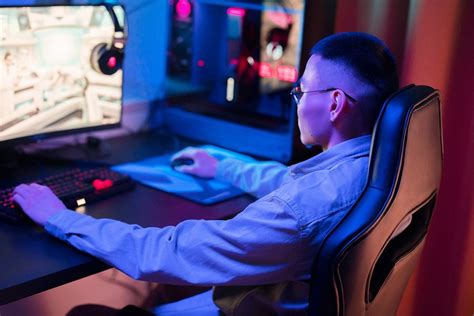
The term “gaming chair” is broad. Different body types, gaming styles, and environments necessitate distinct chair designs.
A. Racing-Style Bucket Seats (The Classic Gamer Look)
Pros: Visually striking, excellent side bolstering on the backrest and seat for a “locked-in” feel, encouraging upright posture. Typically offer aggressive recline and high backrests.
Cons: The bucket-seat design can be restrictive for users with wider builds, potentially creating uncomfortable pressure on the thighs or hips. Often made with PU leather, which can get hot.
B. Ergonomic Office/Gaming Hybrids (The Professional Look)
Pros: Prioritizes advanced ergonomics, often featuring mesh materials for superior cooling and highly dynamic, advanced lumbar systems (e.g., active back support). Excellent for a work-and-play setup. Designed for the longest sitting durations.
Cons: High cost, visually less “flashy” than racing seats, and the sheer volume of adjustments can be overwhelming for some users.
C. Big and Tall Chairs (Reinforced Comfort)
Pros: Specifically designed with a reinforced steel frame, wider seat base, and a higher gas lift capacity (up to 400 lbs or more). Uses denser, more durable foam to accommodate larger frames without ‘bottoming out.’
Cons: Very heavy, can be oversized for smaller rooms or desks. Often the highest price point due to the structural materials.
D. Console/Rocker Chairs (Living Room Comfort)
Pros: Ideal for console gamers who play on a low couch or the floor. Offers integrated speakers, vibration motors, and a laid-back, lounge-style seating position.
Cons: Zero lumbar or shoulder support, not suitable for desk-based PC gaming, and generally poor long-term ergonomic value.
V. Maintaining and Enhancing Your Chair for Longevity
A gaming chair is an investment. Proper maintenance and strategic additions can significantly extend its lifespan and maximize its comfort potential.
A. Essential Chair Maintenance Tips
A. Regular Cleaning of Upholstery: Use a damp cloth for PU leather and a vacuum with a brush attachment for fabric/mesh to prevent dust and debris from degrading the material. For PU leather, a specialized vinyl cleaner can prevent cracking. B. Lubrication of Moving Parts: The gas lift, tilt mechanism, and armrests use moving metal components. A light application of silicone lubricant (sprayed onto a rag, then wiped on) once or twice a year can prevent squeaking and ensure smooth operation. C. Tightening Fasteners: Over time, the movement of the chair can loosen the screws connecting the seat, backrest, and armrests. Periodically check and tighten all bolts using the provided Allen key (usually every 6 months) to maintain structural integrity and prevent wobbling.
B. Comfort-Enhancing Accessories
Premium Caster Wheels: Standard plastic wheels can scratch wooden floors and are often noisy. Upgrading to smooth, rubberized caster wheels (rollerblade style) provides silent gliding and protects flooring.
Footrest/Foot Hammock: Even with perfect chair height, a footrest ensures your legs are at the correct angle. A subtle tilt can help relieve ankle and knee pressure.
Seat Cushion Topper: If the original seat foam begins to degrade, a gel-infused memory foam cushion can provide a temporary, luxurious upgrade in comfort and cooling, saving you from prematurely replacing the entire chair.
VI. The Psychological Advantage: Comfort and Performance
The connection between physical comfort and gaming performance is not anecdotal—it is a measurable physiological reality. Discomfort is a distraction that pulls mental resources away from the task at hand.
A. How Ergonomics Boosts Your Win Rate
Reduced Mental Fatigue: When your body is optimally supported, your brain doesn’t have to waste energy correcting slouching or fighting muscular tension. This conserved energy translates directly into enhanced cognitive function, allowing for faster reaction times and better strategic decision-making.
Sustained Concentration: Pain is a massive distraction. By eliminating pressure points and back pain, you enable deeper periods of “flow state,” where your attention is fully immersed in the game without mental interruptions.
Improved Stamina: For competitive players, comfort equals stamina. A fully ergonomic setup allows for marathon 8 to 10-hour sessions without the need to constantly shift or take breaks due to discomfort. This is a critical advantage in tournaments and lengthy ranking climbs.
Consistent Muscle Memory: A properly adjusted chair ensures your arm and shoulder angles are always consistent. This consistency is vital for developing and maintaining the precise muscle memory required for micro-adjustments with a mouse or rapid controller inputs.
VII. Purchasing Decisions: Quality vs. Cost for AdSense Revenue
From a financial perspective, a successful gaming blog relies on high-traffic, high-value content. A deep-dive, comprehensive guide like this establishes Topical Authority, which Google rewards with higher rankings and, subsequently, more AdSense revenue. When advising on purchasing, it’s essential to frame the chair not just as a consumer product but as an investment that prevents costly future medical bills.
A. The Price-Point Breakdown and Value Proposition
| Price Tier | Expected Quality & Features | Target Audience & AdSense Strategy |
| Budget ($100-$250) | Low-density foam, 2D armrests, basic tilt mechanism, poor long-term support. | High Volume Content: Focus on “Best Gaming Chairs Under $200” listicles and affiliate links for budget-conscious gamers. |
| Mid-Range ($250-$500) | Cold-cure foam, 4D armrests, adjustable lumbar support, durable PU leather or basic mesh. | High Conversion Content: Focus on specific chair reviews (e.g., “Secretlab Omega vs. Ewin Champion”), direct comparisons, and linking to high-value affiliate offers. |
| Premium ($500+) | High-end mesh/leather, active/dynamic lumbar system, metal-reinforced bases, 5+ year warranty. | Authority Content: Focus on “Definitive Guide to Gaming Ergonomics,” comparing to expensive office chairs (e.g., Herman Miller), attracting high-intent readers and authoritative backlinks. |
The key to AdSense optimization is creating content that satisfies search intent at every price point, funneling traffic through both informative guides and detailed reviews with targeted advertisements.

Conclusion: Your Throne Awaits
The journey to ultimate gaming chair comfort is not passive; it requires research, investment, and—most importantly—diligent adjustment. By selecting a chair that aligns with your body type and gaming habits, and by following the precise ergonomic setup protocol, you transcend the experience of mere sitting. You secure a foundation of sustained health, heightened focus, and competitive advantage.
Your gaming chair is your personal command center. Treat it as the core piece of performance hardware it is. Invest in quality, customize its support, and watch as your physical comfort translates directly into digital dominance. The greatest power-up in any game is the ability to play for hours, focused and pain-free.